Skip to content
September 15, 2026
  • Facebook
  • Twitter
  • Linkedin
  • VK
  • Youtube
  • Instagram

Lag Fix Gamer Hub

Unblocked Games, Lag Fix Guides & FPS Tools

banner-promo-full-pink

Connect with Us

  • Facebook
  • Twitter
  • Linkedin
  • VK
  • Youtube
  • Instagram
Primary Menu
  • Home
  • Lag Fix Guides
    • FPS Drop Fix
    • Hardware Optimization
    • Ping/Lag Fix
  • Gaming Tips
  • Gaming Tools
    • FPS Calculator
    •  Bottleneck Calculator – Free CPU & GPU Bottleneck Test
  • Mobile Gaming
    • BGMI
    • Free Fire
    • PUBG Mobile
    • COD Mobile
  • PC Gaming
    • FPS Boost / Optimization
    • Game Crash Fixes
  • Network & Internet
    • Network Lag Fix
  • Legal Pages
    • About Us
    • Contact Us
    • Privacy Policy
    • Terms and Conditions
    • Disclaimer
    • Cookie Policy
Watch Video
  • Home
  • Blog
  • Lag Fix Guides

Lag Fix Guides

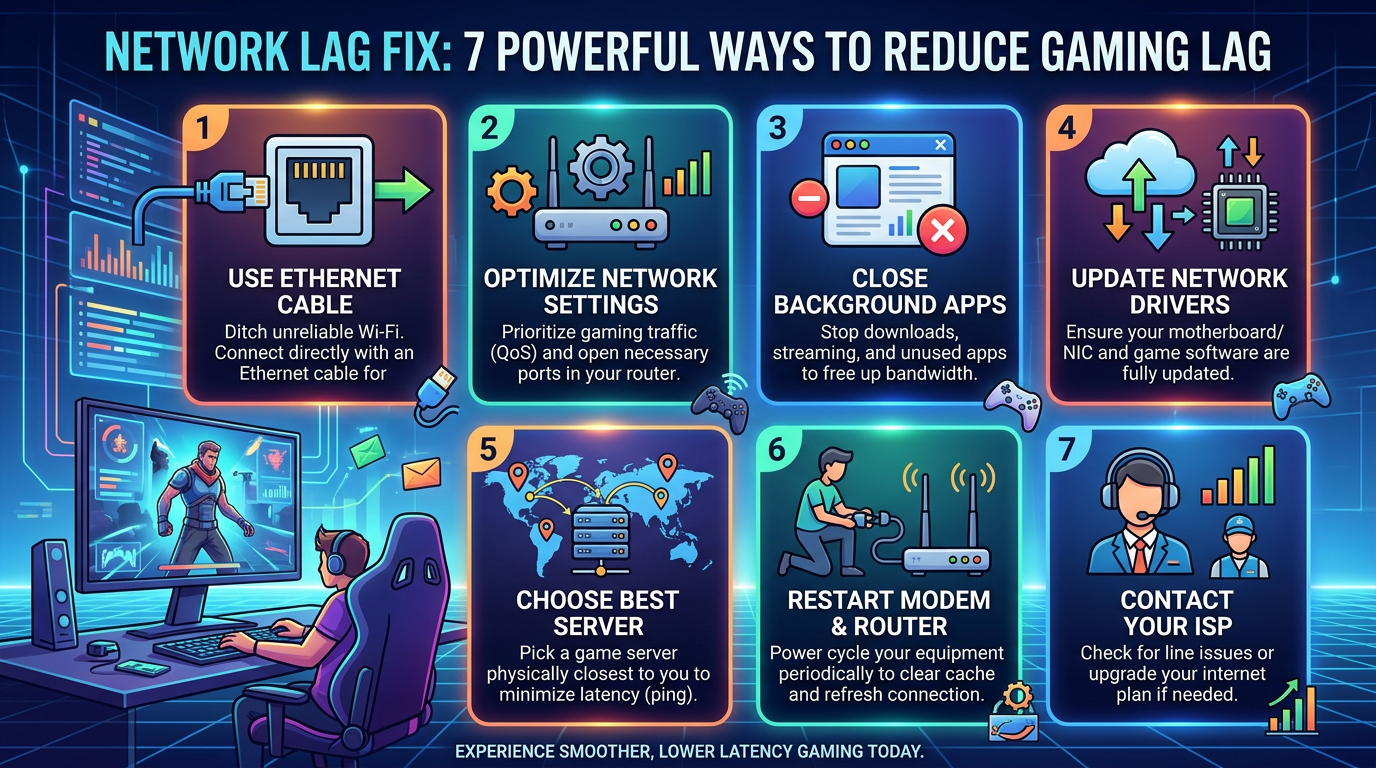
Network Lag Fix : 7 Essential Tips for Gamers Infographic titled "NETWORK LAG FIX: 7 POWERFUL WAYS TO REDUCE GAMING LAG" with seven tips: "1 USE ETHERNET CABLE — Ditch unreliable Wi-Fi. Connect directly with an Ethernet cable for"; "2 OPTIMIZE NETWORK SETTINGS — Prioritize gaming traffic (QoS) and open necessary ports in your router."; "3 CLOSE BACKGROUND APPS — Stop downloads, streaming, and unused apps to free up bandwidth."; "4 UPDATE NETWORK DRIVERS — Ensure your motherboard/NIC and game software are fully updated."; "5 CHOOSE BEST SERVER — Pick a game server physically closest to you to minimize latency (ping)."; "6 RESTART MODEM & ROUTER — Power cycle your equipment periodically to clear cache and refresh connection."; "7 CONTACT YOUR ISP — Check for line issues or upgrade your internet plan if needed." Bottom text reads "EXPERIENCE SMOOTHER, LOWER LATENCY GAMING TODAY."
  • Network Lag Fix

Network Lag Fix : 7 Essential Tips for Gamers
ayoobkk1984 August 28, 2026 0
Network Lag Fix: 7 Powerful Ways to Reduce Gaming Lag If you are experiencing high ping, sudden...
Read More Read more about Network Lag Fix : 7 Essential Tips for Gamers
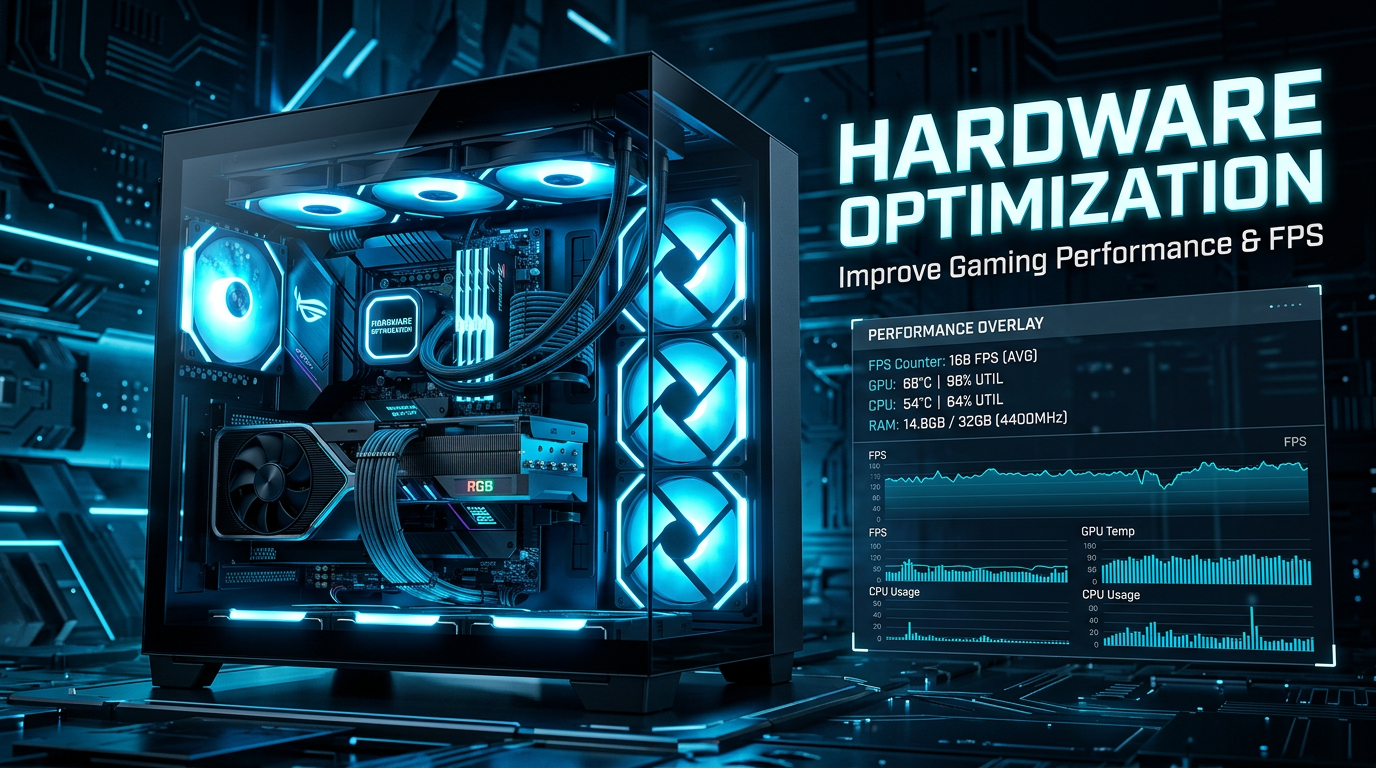
10 Tips for Hardware Optimization Your Gaming PC Performance Gaming PC beside text reading HARDWARE OPTIMIZATION, Improve Gaming Performance & FPS, and a performance overlay with FPS, GPU, CPU, and RAM metrics
  • Hardware Optimization

10 Tips for Hardware Optimization Your Gaming PC Performance

ayoobkk1984 August 28, 2026 0
Hardware Optimization: 10 Powerful Ways to Improve Gaming Performance and FPS
Read More Read more about 10 Tips for Hardware Optimization Your Gaming PC Performance
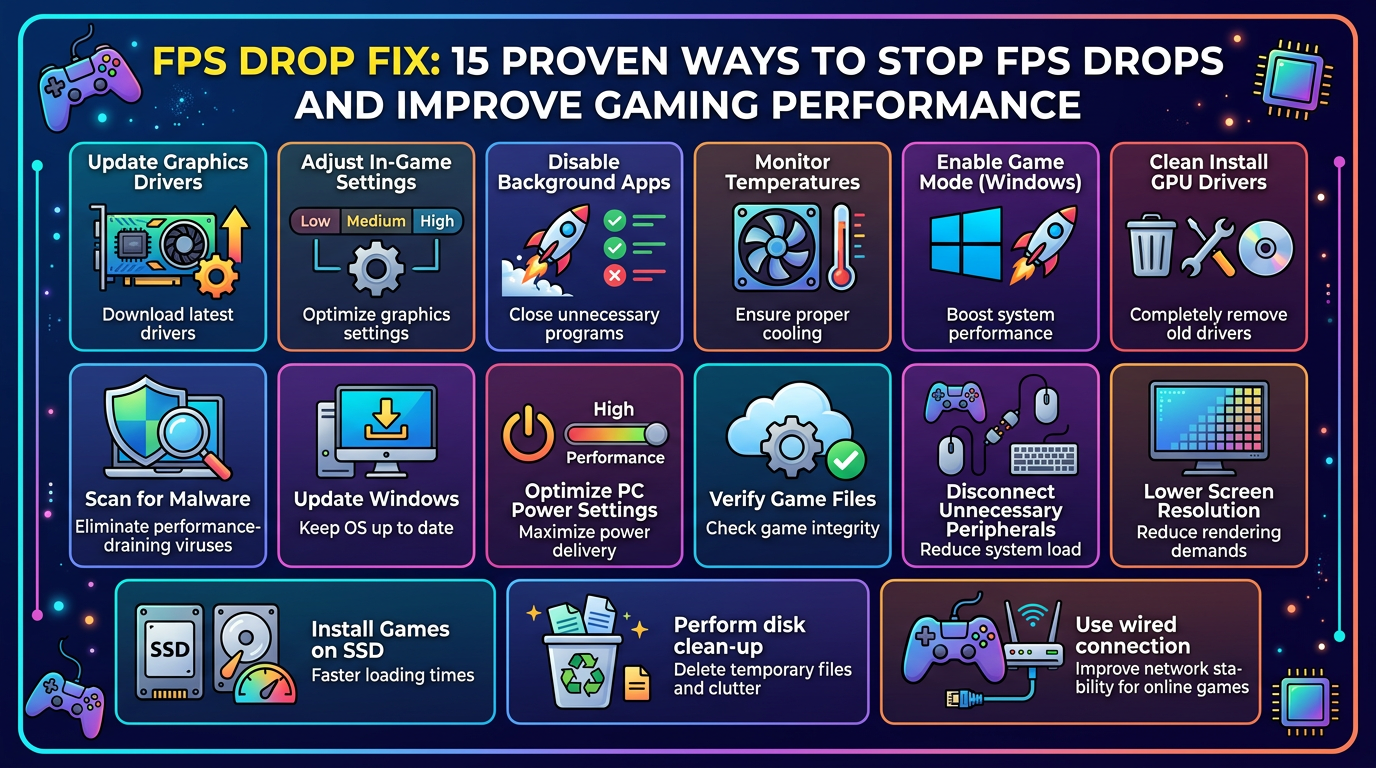
15 Effective FPS Drop Fixes for Gamers FPS DROP FIX: 15 PROVEN WAYS TO STOP FPS DROPS AND IMPROVE GAMING PERFORMANCE. Update Graphics Drivers—Download latest drivers; Adjust In-Game Settings—Optimize graphics settings; Disable Background Apps—Close unnecessary programs; Monitor Temperatures—Ensure proper cooling; Enable Game Mode (Windows)—Boost system performance; Clean Install GPU Drivers—Completely remove old drivers; Scan for Malware—Eliminate performance-draining viruses; Update Windows—Keep OS up to date; Optimize PC Power Settings—Maximize power delivery; Verify Game Files—Check game integrity; Disconnect Unnecessary Peripherals—Reduce system load; Lower Screen Resolution—Reduce rendering demands; Install Games on SSD—Faster loading times; Perform disk clean-up—Delete temporary files and clutter; Use wired connection—Improve network stability for online games.
  • FPS Drop Fix

15 Effective FPS Drop Fixes for Gamers

ayoobkk1984 August 28, 2026 0
FPS Drop Fix: 15 Proven Ways to Stop FPS Drops and Improve Gaming Performance FPS Drop Fix:...
Read More Read more about 15 Effective FPS Drop Fixes for Gamers

Music

Connect with Us

  • Facebook
  • Twitter
  • Linkedin
  • VK
  • Youtube
  • Instagram

Trending News

Network Lag Fix : 7 Essential Tips for Gamers Infographic titled "NETWORK LAG FIX: 7 POWERFUL WAYS TO REDUCE GAMING LAG" with seven tips: "1 USE ETHERNET CABLE — Ditch unreliable Wi-Fi. Connect directly with an Ethernet cable for"; "2 OPTIMIZE NETWORK SETTINGS — Prioritize gaming traffic (QoS) and open necessary ports in your router."; "3 CLOSE BACKGROUND APPS — Stop downloads, streaming, and unused apps to free up bandwidth."; "4 UPDATE NETWORK DRIVERS — Ensure your motherboard/NIC and game software are fully updated."; "5 CHOOSE BEST SERVER — Pick a game server physically closest to you to minimize latency (ping)."; "6 RESTART MODEM & ROUTER — Power cycle your equipment periodically to clear cache and refresh connection."; "7 CONTACT YOUR ISP — Check for line issues or upgrade your internet plan if needed." Bottom text reads "EXPERIENCE SMOOTHER, LOWER LATENCY GAMING TODAY." 1
  • Network Lag Fix

Network Lag Fix : 7 Essential Tips for Gamers

August 28, 2026 0
10 Tips for Hardware Optimization Your Gaming PC Performance Gaming PC beside text reading HARDWARE OPTIMIZATION, Improve Gaming Performance & FPS, and a performance overlay with FPS, GPU, CPU, and RAM metrics 2
  • Hardware Optimization

10 Tips for Hardware Optimization Your Gaming PC Performance

August 28, 2026 0
15 Effective FPS Drop Fixes for Gamers FPS DROP FIX: 15 PROVEN WAYS TO STOP FPS DROPS AND IMPROVE GAMING PERFORMANCE. Update Graphics Drivers—Download latest drivers; Adjust In-Game Settings—Optimize graphics settings; Disable Background Apps—Close unnecessary programs; Monitor Temperatures—Ensure proper cooling; Enable Game Mode (Windows)—Boost system performance; Clean Install GPU Drivers—Completely remove old drivers; Scan for Malware—Eliminate performance-draining viruses; Update Windows—Keep OS up to date; Optimize PC Power Settings—Maximize power delivery; Verify Game Files—Check game integrity; Disconnect Unnecessary Peripherals—Reduce system load; Lower Screen Resolution—Reduce rendering demands; Install Games on SSD—Faster loading times; Perform disk clean-up—Delete temporary files and clutter; Use wired connection—Improve network stability for online games. 3
  • FPS Drop Fix

15 Effective FPS Drop Fixes for Gamers

August 28, 2026 0
10 Ways to Reduce Gaming Lag and Improve Ping High Infographic listing ten tips to reduce lag and improve ping 4
  • Gaming Tips

10 Ways to Reduce Gaming Lag and Improve Ping High

August 28, 2026 0
Redmi Note 13 Free Fire Max Best Settings – No Lag & Headshots Free Fire MAX settings for Redmi Note 13 5
  • Free Fire

Redmi Note 13 Free Fire Max Best Settings – No Lag & Headshots

August 28, 2026 0

You may have missed

Infographic titled "NETWORK LAG FIX: 7 POWERFUL WAYS TO REDUCE GAMING LAG" with seven tips: "1 USE ETHERNET CABLE — Ditch unreliable Wi-Fi. Connect directly with an Ethernet cable for"; "2 OPTIMIZE NETWORK SETTINGS — Prioritize gaming traffic (QoS) and open necessary ports in your router."; "3 CLOSE BACKGROUND APPS — Stop downloads, streaming, and unused apps to free up bandwidth."; "4 UPDATE NETWORK DRIVERS — Ensure your motherboard/NIC and game software are fully updated."; "5 CHOOSE BEST SERVER — Pick a game server physically closest to you to minimize latency (ping)."; "6 RESTART MODEM & ROUTER — Power cycle your equipment periodically to clear cache and refresh connection."; "7 CONTACT YOUR ISP — Check for line issues or upgrade your internet plan if needed." Bottom text reads "EXPERIENCE SMOOTHER, LOWER LATENCY GAMING TODAY."
  • Network Lag Fix

Network Lag Fix : 7 Essential Tips for Gamers

ayoobkk1984 August 28, 2026 0
Gaming PC beside text reading HARDWARE OPTIMIZATION, Improve Gaming Performance & FPS, and a performance overlay with FPS, GPU, CPU, and RAM metrics
  • Hardware Optimization

10 Tips for Hardware Optimization Your Gaming PC Performance

ayoobkk1984 August 28, 2026 0
FPS DROP FIX: 15 PROVEN WAYS TO STOP FPS DROPS AND IMPROVE GAMING PERFORMANCE. Update Graphics Drivers—Download latest drivers; Adjust In-Game Settings—Optimize graphics settings; Disable Background Apps—Close unnecessary programs; Monitor Temperatures—Ensure proper cooling; Enable Game Mode (Windows)—Boost system performance; Clean Install GPU Drivers—Completely remove old drivers; Scan for Malware—Eliminate performance-draining viruses; Update Windows—Keep OS up to date; Optimize PC Power Settings—Maximize power delivery; Verify Game Files—Check game integrity; Disconnect Unnecessary Peripherals—Reduce system load; Lower Screen Resolution—Reduce rendering demands; Install Games on SSD—Faster loading times; Perform disk clean-up—Delete temporary files and clutter; Use wired connection—Improve network stability for online games.
  • FPS Drop Fix

15 Effective FPS Drop Fixes for Gamers

ayoobkk1984 August 28, 2026 0
Infographic listing ten tips to reduce lag and improve ping
  • Gaming Tips

10 Ways to Reduce Gaming Lag and Improve Ping High

ayoobkk1984 August 28, 2026 0

  • Home
  • Lag Fix Guides
  • Gaming Tips
  • Gaming Tools
  • Mobile Gaming
  • PC Gaming
  • Network & Internet
  • Legal Pages
  • Facebook
  • Twitter
  • Linkedin
  • VK
  • Youtube
  • Instagram
Copyright © All rights reserved. | MoreNews by AF themes.