Skip to content
September 15, 2026
  • Facebook
  • Twitter
  • Linkedin
  • VK
  • Youtube
  • Instagram

Lag Fix Gamer Hub

Unblocked Games, Lag Fix Guides & FPS Tools

banner-promo-full-pink

Connect with Us

  • Facebook
  • Twitter
  • Linkedin
  • VK
  • Youtube
  • Instagram
Primary Menu
  • Home
  • Lag Fix Guides
    • FPS Drop Fix
    • Hardware Optimization
    • Ping/Lag Fix
  • Gaming Tips
  • Gaming Tools
    • FPS Calculator
    •  Bottleneck Calculator – Free CPU & GPU Bottleneck Test
  • Mobile Gaming
    • BGMI
    • Free Fire
    • PUBG Mobile
    • COD Mobile
  • PC Gaming
    • FPS Boost / Optimization
    • Game Crash Fixes
  • Network & Internet
    • Network Lag Fix
  • Legal Pages
    • About Us
    • Contact Us
    • Privacy Policy
    • Terms and Conditions
    • Disclaimer
    • Cookie Policy
Watch Video
  • Home
  • Blog
  • Network & Internet
  • Ping/Lag Fix

Nothing Found

It seems we can’t find what you’re looking for. Perhaps searching can help.
Music

Connect with Us

  • Facebook
  • Twitter
  • Linkedin
  • VK
  • Youtube
  • Instagram

Trending News

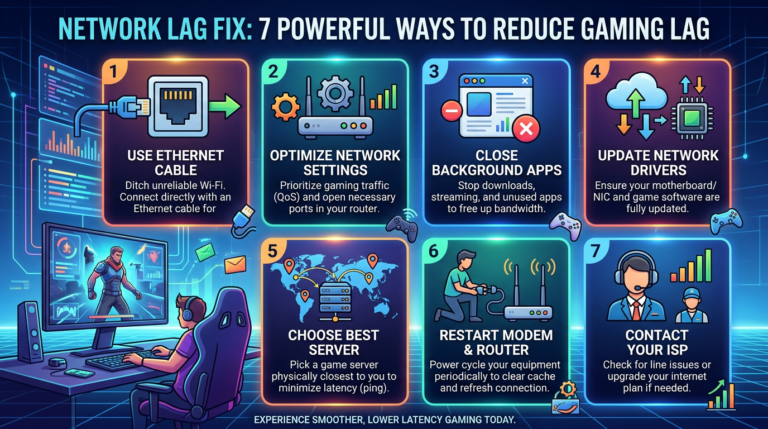
Network Lag Fix : 7 Essential Tips for Gamers Infographic titled "NETWORK LAG FIX: 7 POWERFUL WAYS TO REDUCE GAMING LAG" with seven tips: "1 USE ETHERNET CABLE — Ditch unreliable Wi-Fi. Connect directly with an Ethernet cable for"; "2 OPTIMIZE NETWORK SETTINGS — Prioritize gaming traffic (QoS) and open necessary ports in your router."; "3 CLOSE BACKGROUND APPS — Stop downloads, streaming, and unused apps to free up bandwidth."; "4 UPDATE NETWORK DRIVERS — Ensure your motherboard/NIC and game software are fully updated."; "5 CHOOSE BEST SERVER — Pick a game server physically closest to you to minimize latency (ping)."; "6 RESTART MODEM & ROUTER — Power cycle your equipment periodically to clear cache and refresh connection."; "7 CONTACT YOUR ISP — Check for line issues or upgrade your internet plan if needed." Bottom text reads "EXPERIENCE SMOOTHER, LOWER LATENCY GAMING TODAY." 1
  • Network Lag Fix

Network Lag Fix : 7 Essential Tips for Gamers

August 28, 2026 0
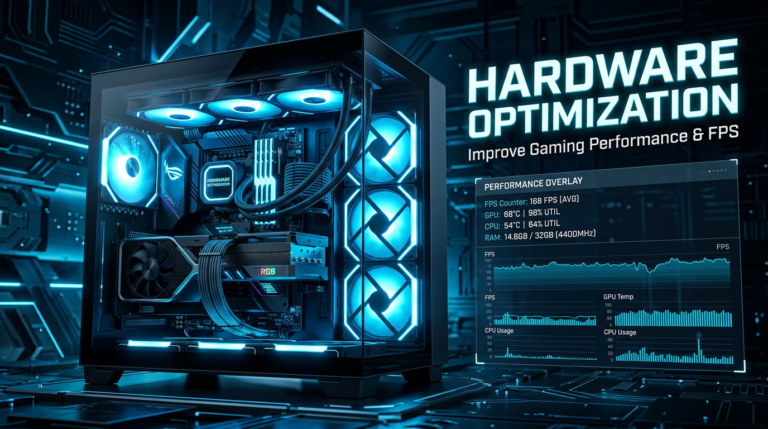
10 Tips for Hardware Optimization Your Gaming PC Performance Gaming PC beside text reading HARDWARE OPTIMIZATION, Improve Gaming Performance & FPS, and a performance overlay with FPS, GPU, CPU, and RAM metrics 2
  • Hardware Optimization

10 Tips for Hardware Optimization Your Gaming PC Performance

August 28, 2026 0
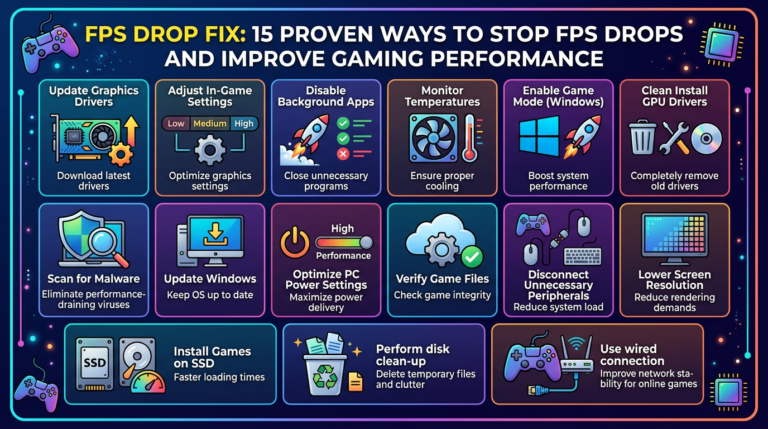
15 Effective FPS Drop Fixes for Gamers FPS DROP FIX: 15 PROVEN WAYS TO STOP FPS DROPS AND IMPROVE GAMING PERFORMANCE. Update Graphics Drivers—Download latest drivers; Adjust In-Game Settings—Optimize graphics settings; Disable Background Apps—Close unnecessary programs; Monitor Temperatures—Ensure proper cooling; Enable Game Mode (Windows)—Boost system performance; Clean Install GPU Drivers—Completely remove old drivers; Scan for Malware—Eliminate performance-draining viruses; Update Windows—Keep OS up to date; Optimize PC Power Settings—Maximize power delivery; Verify Game Files—Check game integrity; Disconnect Unnecessary Peripherals—Reduce system load; Lower Screen Resolution—Reduce rendering demands; Install Games on SSD—Faster loading times; Perform disk clean-up—Delete temporary files and clutter; Use wired connection—Improve network stability for online games. 3
  • FPS Drop Fix

15 Effective FPS Drop Fixes for Gamers

August 28, 2026 0
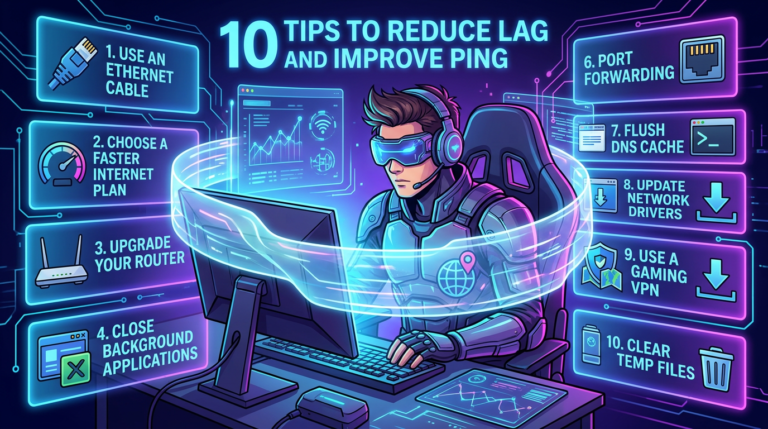
10 Ways to Reduce Gaming Lag and Improve Ping High Infographic listing ten tips to reduce lag and improve ping 4
  • Gaming Tips

10 Ways to Reduce Gaming Lag and Improve Ping High

August 28, 2026 0
Redmi Note 13 Free Fire Max Best Settings – No Lag & Headshots Free Fire MAX settings for Redmi Note 13 5
  • Free Fire

Redmi Note 13 Free Fire Max Best Settings – No Lag & Headshots

August 28, 2026 0

You may have missed

Infographic titled "NETWORK LAG FIX: 7 POWERFUL WAYS TO REDUCE GAMING LAG" with seven tips: "1 USE ETHERNET CABLE — Ditch unreliable Wi-Fi. Connect directly with an Ethernet cable for"; "2 OPTIMIZE NETWORK SETTINGS — Prioritize gaming traffic (QoS) and open necessary ports in your router."; "3 CLOSE BACKGROUND APPS — Stop downloads, streaming, and unused apps to free up bandwidth."; "4 UPDATE NETWORK DRIVERS — Ensure your motherboard/NIC and game software are fully updated."; "5 CHOOSE BEST SERVER — Pick a game server physically closest to you to minimize latency (ping)."; "6 RESTART MODEM & ROUTER — Power cycle your equipment periodically to clear cache and refresh connection."; "7 CONTACT YOUR ISP — Check for line issues or upgrade your internet plan if needed." Bottom text reads "EXPERIENCE SMOOTHER, LOWER LATENCY GAMING TODAY."
  • Network Lag Fix

Network Lag Fix : 7 Essential Tips for Gamers

ayoobkk1984 August 28, 2026 0
Gaming PC beside text reading HARDWARE OPTIMIZATION, Improve Gaming Performance & FPS, and a performance overlay with FPS, GPU, CPU, and RAM metrics
  • Hardware Optimization

10 Tips for Hardware Optimization Your Gaming PC Performance

ayoobkk1984 August 28, 2026 0
FPS DROP FIX: 15 PROVEN WAYS TO STOP FPS DROPS AND IMPROVE GAMING PERFORMANCE. Update Graphics Drivers—Download latest drivers; Adjust In-Game Settings—Optimize graphics settings; Disable Background Apps—Close unnecessary programs; Monitor Temperatures—Ensure proper cooling; Enable Game Mode (Windows)—Boost system performance; Clean Install GPU Drivers—Completely remove old drivers; Scan for Malware—Eliminate performance-draining viruses; Update Windows—Keep OS up to date; Optimize PC Power Settings—Maximize power delivery; Verify Game Files—Check game integrity; Disconnect Unnecessary Peripherals—Reduce system load; Lower Screen Resolution—Reduce rendering demands; Install Games on SSD—Faster loading times; Perform disk clean-up—Delete temporary files and clutter; Use wired connection—Improve network stability for online games.
  • FPS Drop Fix

15 Effective FPS Drop Fixes for Gamers

ayoobkk1984 August 28, 2026 0
Infographic listing ten tips to reduce lag and improve ping
  • Gaming Tips

10 Ways to Reduce Gaming Lag and Improve Ping High

ayoobkk1984 August 28, 2026 0

  • Home
  • Lag Fix Guides
  • Gaming Tips
  • Gaming Tools
  • Mobile Gaming
  • PC Gaming
  • Network & Internet
  • Legal Pages
  • Facebook
  • Twitter
  • Linkedin
  • VK
  • Youtube
  • Instagram
Copyright © All rights reserved. | MoreNews by AF themes.